SEO

7 Signs Your Business Needs a Digital Marketing Agency Right Now

7 Signs Your Business Needs a Digital Marketing Agency Right Now

Stagnant website traffic, leads that never convert, rising ad costs, and marketing that feels like guesswork are the clearest signs a business needs a digital marketing agency. When in-house efforts stop producing measurable growth, that gap is usually not a work-ethic problem — it is a skills, tools, and bandwidth problem, and a digital marketing agency exists to close exactly that gap. Every business owner reaches a point where marketing feels like a full-time job that nobody has time to do properly. Social media posts go out inconsistently, the website hasn’t been updated in months, and nobody can say with certainty which campaign actually brought in last month’s sales. This guide breaks down the seven clearest signs it’s time to bring in outside expertise, how a digital marketing agency actually solves each problem, and what to check before signing a contract. What Does It Mean When a Business Needs a Digital Marketing Agency? A business needs a digital marketing agency when internal efforts — whether run by the owner, a generalist employee, or a small in-house team — stop translating into measurable growth: more traffic, more qualified leads, and more revenue. It is rarely about effort. Most business owners are working hard on marketing; they just lack the specialized skill set, the tools, and the time to run SEO, paid ads, content, and analytics all at once, all correctly, all the time. Skimmable summary: Needing a digital marketing agency is not a sign of failure — it’s a natural growth stage where marketing has become too complex, too time-consuming, or too specialized to run effectively without dedicated experts. How to Spot the Signs Your Business Needs a Digital Marketing Agency The signs rarely show up one at a time. They tend to stack — quietly — until growth plateaus. Below is a practical, step-by-step way to check for each one. Sign 1: Website Traffic Has Stalled or Declined Pull up Google Analytics (or Search Console) and check the last 90 days against the previous 90. If traffic is flat or falling despite the business staying active, search visibility is likely the problem. This usually points to weak on-page SEO, missing technical fixes, or thin content that search engines and AI answer engines don’t consider citable. According to Google’s own SEO starter guide, sites that don’t actively maintain technical and content quality naturally lose visibility over time as competitors improve theirs. Sign 2: Leads Are Coming In But Not Converting High traffic with low conversions usually means a targeting or messaging mismatch, not a traffic problem. Sales teams end up fielding unqualified leads — people with the wrong budget, wrong timing, or wrong intent — which wastes hours and lowers close rates. A digital marketing agency typically audits landing pages, ad targeting, and page intent to fix this mismatch before adding more traffic on top of a broken funnel. Sign 3: Marketing Feels Reactive, Not Strategic If every campaign starts with “let’s post something today” instead of a documented content calendar or quarterly plan, marketing is running on autopilot. Reactive marketing produces inconsistent branding and rushed, off-message content — a pattern that’s hard to break without a structured content marketing strategy driving the calendar. Sign 4: Competitors Are Outranking and Outposting the Business A five-minute Google search for the business’s core service, followed by a look at competitor social pages, usually reveals the truth quickly. If competitors consistently appear above the business in search results or post more frequently with stronger engagement, they are actively investing in visibility while the business is standing still. This is one of the fastest-moving signs your business needs a digital marketing agency, because search rankings compound — the longer the gap exists, the harder it becomes to close. Sign 5: Ad Spend Is Rising But ROI Is Falling Cost per lead should stay roughly flat or improve over time as campaigns get optimized. If cost per lead keeps climbing while conversion performance stays the same or drops, budget is leaking somewhere — often poor audience segmentation, weak ad creative, or a landing page that isn’t built to convert. Agencies bring the testing and bid-management discipline needed to turn ad spend into measurable results instead of guesswork. Sign 6: No One Can Explain What’s Working and What Isn’t Ask a simple question internally: “Which channel brought in last month’s top three customers?” If nobody has a confident, data-backed answer, reporting is broken. Effective marketing depends on knowing exactly where traffic, leads, and revenue come from — without that, budget decisions are essentially guesses. Sign 7: Marketing Keeps Getting Pushed to the Bottom of the To-Do List If marketing tasks routinely get bumped for “more urgent” operational work, that’s not a discipline issue — it’s a bandwidth issue. Marketing needs consistent, dedicated attention to compound over time; sporadic effort rarely builds momentum. Skimmable summary: The seven signs — stalled traffic, poor lead quality, reactive planning, losing ground to competitors, rising cost per lead, unclear reporting, and marketing that never gets prioritized — usually appear together rather than alone, and each one compounds the others the longer they go unaddressed. How Does a Digital Marketing Agency Fix These Problems? A digital marketing agency solves these issues by bringing dedicated specialists, proven processes, and marketing tools that most in-house teams can’t justify owning full-time. Business Problem What a Digital Marketing Agency Does Stalled website traffic Runs technical SEO audits, on-page optimization, and keyword-targeted content Poor lead quality Refines audience targeting, page intent, and message-to-offer fit Reactive marketing Builds a documented content calendar and quarterly strategy Competitors outranking the business Runs competitor gap analysis and closes visibility gaps Rising cost per lead Applies structured A/B testing and bid optimization across campaigns Unclear reporting Sets up dashboards tracking traffic source, lead source, and ROI by channel No time for consistent marketing Takes over execution so the owner can focus on running the business Skimmable summary: Every sign listed above maps to a specific, fixable process — a digital marketing agency

7 Signs Your Business Needs a Digital Marketing Agency Right Now Read More »

How-Much-Does-SEO-Cost-for-a-Small-Business-in-India?

How Much Does SEO Cost for a Small Business in India?

A small business in India typically pays between ₹10,000 and ₹60,000 per month for SEO services, though the real number depends on city, competition, and how much the business is trying to rank for. Below ₹10,000, most providers cannot afford proper technical SEO, content, or link building — and above ₹60,000, businesses are usually paying for aggressive growth in competitive industries, not basic visibility. The rest of this guide breaks down exactly what moves that number up or down, and how to budget for SEO without overpaying or underpaying. SEO Cost Breakdown by Business Type Business Type Typical Monthly SEO Cost Local business (single city, low competition) ₹8,000 – ₹20,000 Small business (growing, moderate competition) ₹15,000 – ₹40,000 Ecommerce / multi-product website ₹25,000 – ₹70,000 Competitive industries (finance, legal, real estate, SaaS) ₹50,000 – ₹1,50,000+ Enterprise / national brand ₹1,00,000 – ₹3,00,000+ These numbers hold across most Indian markets, though metro cities like Delhi, Mumbai, and Bengaluru tend to sit at the higher end of each bracket because agency overheads and keyword competition are both higher there. A single-location business in a Tier-2 city like Chandigarh or Mohali can often get meaningful results at the lower end of the small-business range, provided the strategy is built around local intent rather than broad national keywords. In short: the wide range isn’t agencies being vague — it reflects genuinely different scopes of work. A 10-page local business site and a 500-product ecommerce store were never going to cost the same to rank. What Affects the SEO Cost for a Small Business in India? Industry Competition A dentist in a mid-sized city competes with a handful of local practices. A fintech startup competes with every funded fintech company running the same playbook nationally. The more competitive the keyword landscape, the more hours (and therefore budget) it takes to rank. City and Target Geography Ranking for “SEO services in Chandigarh” costs meaningfully less than ranking for “SEO services in Mumbai” simply because fewer businesses are fighting for the same search results. Businesses targeting a single city or region should expect to pay less than those chasing pan-India visibility. Website Size and Technical Health A site with broken links, slow load times, missing schema, or thin content needs technical cleanup before content or links can move the needle. That upfront technical SEO work adds to the first few months of cost, even if it doesn’t show up as “extra” on an invoice. Content Requirements SEO today is inseparable from content. A business that needs 8 blog posts a month costs more to serve than one that needs 2, because content research, writing, and optimization are the most time-intensive part of most SEO retainers. Freelancer vs Agency vs In-House A freelancer might charge ₹8,000–₹20,000/month for basic on-page work. An agency charges more because it brings a full team — strategist, content writer, technical SEO specialist, and outreach person — working together rather than one person splitting attention across tasks. Skim summary: Cost isn’t random — it’s driven by five concrete variables: how competitive the industry is, how wide the target geography is, how much technical repair the site needs, how much content the strategy requires, and whether the work is done by a freelancer, an agency, or an in-house hire. How Do SEO Pricing Models Work in India? Not every SEO engagement is billed the same way. Understanding the model matters as much as the number itself. Pricing Model Typical Cost Best For Watch Out For Monthly Retainer ₹10,000 – ₹1,50,000/month Ongoing growth, most small businesses Vague scope with no deliverables listed Project-Based (audit, migration, one-off fix) ₹15,000 – ₹2,00,000 one-time Specific technical problems, site migrations Providers who upsell endless “phase 2” projects Hourly Consulting ₹1,500 – ₹6,000/hour Strategy advice, second opinions Hours that don’t translate into actual execution Performance-Based (pay per ranking/lead) Varies, often higher effective cost Businesses wary of upfront risk Providers gaming vanity keywords instead of real leads Retainers are the most common model for small businesses because SEO compounds over time and needs consistent monthly effort — content, technical monitoring, and link building don’t work as one-time tasks. Skim summary: Retainers suit ongoing growth, project pricing suits one-off fixes, hourly suits strategy-only needs, and performance-based pricing sounds appealing but often hides inflated costs behind “free until results” language. What Do You Actually Get at Each Price Tier? Tier Monthly Range What’s Typically Included Budget ₹8,000 – ₹15,000 Basic on-page fixes, minimal content, no real link building Standard ₹15,000 – ₹40,000 On-page + technical SEO, 2-4 blog posts/month, local SEO setup, basic link building Growth ₹40,000 – ₹80,000 Full technical audits, 6-8 content pieces/month, structured link building, monthly reporting with real metrics Premium/Competitive ₹80,000 – ₹2,00,000+ Multi-channel SEO, aggressive content velocity, digital PR, dedicated account strategist The jump from Budget to Standard is usually where results start becoming realistic. Below ₹15,000/month, most providers simply don’t have the hours to do technical SEO, write real content, and build links — something gets skipped, and it’s usually the part that takes the longest to show up as a missing result: link building. How Should a Small Business Budget for SEO? (Step-by-Step Guide) Step 1: Get a Free Website Audit First Before setting a number, find out what’s actually broken. A basic technical and on-page audit reveals whether the site needs heavy repair work or is close to ready for content and links — this alone can change the required budget by 2-3x. Step 2: Define the Target Geography Decide whether the goal is to rank in one city, one state, or nationally. A single-city local SEO strategy costs far less than a national campaign because the keyword competition is narrower. Step 3: List 10-15 Priority Keywords by Intent Separate keywords into “ready to buy” (commercial intent) and “just researching” (informational intent). Budget should weight toward pages targeting commercial-intent keywords first, since those convert faster. Step 4: Match Budget to Business Stage A pre-revenue startup shouldn’t commit to a ₹1,00,000/month retainer. Start in the Standard

How Much Does SEO Cost for a Small Business in India? Read More »

AI-search-readiness-checklist

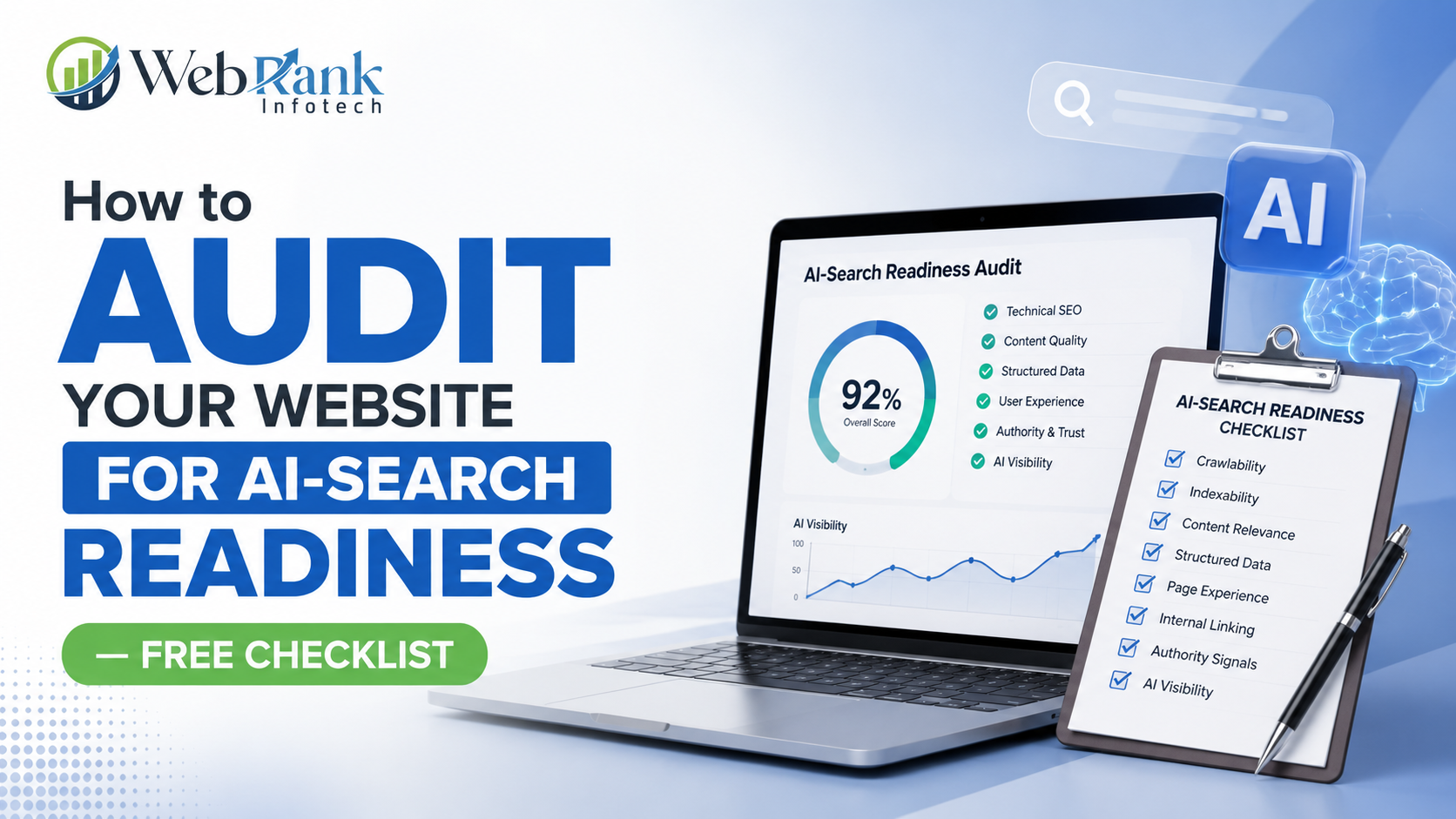
How to Audit Your Website for AI-Search Readiness — Free Checklist

Here’s the short version: an AI-search readiness audit checks whether a website can be crawled, understood, and cited by AI systems like ChatGPT, Perplexity, and Google AI Overviews — and it comes down to seven checkable things: crawlability, answer-first content, structured data, entity clarity, topical depth, trust signals, and actual visibility testing. Below is the full step-by-step audit process, a free checklist table to run through page by page, and a scoring rubric to see exactly where a site stands today. What Does “AI-Search Ready” Actually Mean for a Website? A website counts as AI-search ready when an AI system can access its content, understand what each page is actually about, and confidently use that content inside a generated answer without needing to guess. This is a different bar than traditional SEO, which mainly asks whether a page ranks. AI-search readiness asks whether a page gets retrieved, correctly interpreted, and selected for citation — three separate hurdles a page can fail even while ranking well in traditional search. Most websites built for traditional SEO already clear part of this bar without realizing it, since solid technical SEO, clear content structure, and topical authority all carry over. What’s usually missing is the layer built specifically for machine extraction — structured data, answer-first formatting, and consistent entity signals that remove ambiguity for an AI system deciding what to cite. In short: AI-search readiness measures whether content can be found, understood, and confidently cited by AI systems, building directly on top of traditional SEO rather than replacing it. How Do You Audit Your Website for AI-Search Readiness? This is the exact seven-step sequence worth running through, in order, since each step depends on the one before it — a page that fails crawlability, for example, makes every later step irrelevant until that’s fixed. Step 1: Check If AI Crawlers Can Actually Access the Site Before anything else, confirm that important pages aren’t blocked from AI crawlers through robots.txt rules, that critical content isn’t hidden behind heavy client-side JavaScript rendering, and that XML sitemaps only contain clean, live URLs without redirect chains. A page an AI crawler can’t fully access never makes it into consideration for citation, regardless of content quality. Step 2: Test Whether Pages Answer Questions Directly Open the key pages on the site and check whether the core question a visitor came to answer gets addressed within the first two to three sentences, in plain language. Pages that bury the actual answer under a long brand introduction give AI systems nothing extractable near the top, which usually means a competitor’s more direct page gets cited instead. Step 3: Check for Structured Data and Schema Markup Review whether key page types — services, FAQs, local business listings, products — have appropriate schema markup implemented. Structured data removes the guesswork an AI system would otherwise have to do about what a page represents. Schema.org documents the exact markup types available and how to implement them correctly for each content type. Step 4: Review Entity Clarity and NAP Consistency Search the business name and confirm that name, address, and phone number match exactly across the website, Google Business Profile, directories, and social platforms. Inconsistent entity data creates conflicting signals that push AI systems toward a competitor with cleaner, more consistent information. Step 5: Evaluate Topical Depth and Content Coverage Check whether a topic is covered through a single isolated page or through a connected cluster of pages that address different angles of the same subject, linked together clearly. AI systems tend to trust sources demonstrating full topic coverage over single surface-level posts written to chase one keyword. Step 6: Check Trust and E-E-A-T Signals Review whether pages show visible author credentials, first-hand experience, specific real-world examples, and outbound links to credible sources where relevant. Generic, unattributed content reads as low-trust to AI systems, which tend to favor sources that demonstrate clear expertise and experience over generic advice. Step 7: Test Actual Visibility Across AI Platforms Search the exact questions a customer would ask directly in Google, ChatGPT, and Perplexity, and note whether the business gets cited, ignored, or replaced by a competitor. This step closes the loop — the previous six steps are diagnostic, but this step confirms whether fixes are actually translating into real citations. In short: a full AI-search readiness audit runs through crawlability, answer-first content, structured data, entity clarity, topical depth, trust signals, and real visibility testing in that order, since each layer depends on the one before it working correctly. What Should You Prioritize First When Auditing a Large Website? Auditing an entire website at once rarely works well, especially for larger sites with dozens or hundreds of pages. The smarter approach is prioritizing the pages that matter most first — typically core service pages, high-traffic blog posts, and any page currently getting outranked or out-cited by a specific competitor. These pages usually offer the clearest return on audit effort, since improvements there are the easiest to measure and justify. Once priority pages are fixed, the same process can expand outward to supporting content and the rest of the site. Trying to fix everything simultaneously usually means nothing gets fixed well, while a prioritized approach shows measurable movement faster. In short: start an AI-search readiness audit with the highest-value pages — core services and top-performing content — before expanding to the rest of the site, since this delivers faster, more measurable results. How Does Local SEO Fit Into an AI-Search Readiness Audit? Local SEO overlaps heavily with AI-search readiness for any business serving a specific geographic area. Google Business Profile completeness, consistent local citations, and genuine review activity all feed directly into how confidently an AI system can identify and recommend a local business for “near me” and location-based queries. A business already investing properly in local SEO is frequently much closer to AI-search readiness than it realizes, since the same clean, consistent data that supports local rankings also supports AI citation. Auditing this layer means checking that every

How to Audit Your Website for AI-Search Readiness — Free Checklist Read More »

business-not-showing-up-in-Google-AI-Overviews

Why Your Business Isn’t Showing Up on Google AI Overviews

Here’s the short version: a business gets left out of Google AI Overviews for one of six fixable reasons — weak entity signals, content that doesn’t answer questions directly, missing structured data, thin topical authority, weak trust signals, or targeting the wrong kind of keywords. Below is a full diagnostic breakdown, a step-by-step fix-it guide, and a self-scoring checklist to test AI Overview readiness before spending another rupee on content that doesn’t get cited. What Are Google AI Overviews, and Why Do They Matter for Your Business? Google AI Overviews are the AI-generated summaries that now appear above the traditional list of search results for many queries, pulling information from multiple sources to answer a question directly on the results page. Instead of clicking through ten blue links, a searcher gets an instant, synthesized answer — and the sources that get cited inside that answer receive visibility even when the searcher never clicks through to a website. This matters because AI Overviews reduce clicks to the traditional top-ranking result while still driving brand visibility for whichever sources get named or linked inside the summary. A business that ranks well on Google but never gets cited inside an AI Overview is increasingly invisible for exactly the queries that used to send it the most traffic. Being cited inside an AI Overview functions almost like a new, higher-value ranking position — one that traditional SEO alone doesn’t guarantee. In short: AI Overviews have become a new visibility layer sitting above traditional search results, and getting cited inside them now matters as much as ranking on page one used to. Why Isn’t Your Business Showing Up on Google AI Overviews? Most businesses assume there’s one single mistake blocking them, but it’s almost always a combination of these six issues. Weak Entity Signals and Inconsistent NAP Information Google’s AI systems need to recognize a business as a distinct, well-defined entity before it can be considered for citation. When a business name, address, and phone number (NAP) appear inconsistently across a website, Google Business Profile, directories, and social platforms, the AI receives conflicting signals and often defaults to a competitor with cleaner data instead. Content That Doesn’t Answer the Question Directly AI Overviews favor content that answers a question within the first few lines, in plain, conversational language. A page that buries its actual answer under three paragraphs of brand introduction gives an AI system nothing quotable near the top, so it moves on to a source that gets to the point faster. Missing Structured Data and Schema Markup Structured data — schema markup added to a webpage’s code — tells search engines and AI systems exactly what a page is about: a product, a service, an FAQ, a local business listing. Without it, AI systems have to guess at context, and when a system has to guess, it typically defaults to a source that removed the guesswork entirely. Schema.org, the standard used across major search engines, documents exactly which markup types apply to which content. Low Topical Authority and Thin Content A single blog post covering a topic in isolation rarely earns AI citation. Google’s AI systems tend to trust sources that demonstrate depth across a topic — multiple connected pages covering different angles of the same subject, linked together in a way that shows genuine expertise rather than a single surface-level post written to chase a keyword. Weak E-E-A-T Signals Experience, Expertise, Authoritativeness, and Trustworthiness (E-E-A-T) has become one of the clearest filters AI systems use to decide what to cite. Content written without any visible first-hand experience, author credentials, or real-world specifics reads as generic, and generic content rarely gets quoted when a more specific, experience-backed source is available. Targeting the Wrong Type of Keywords AI Overviews appear far more often for informational, conversational queries than for purely transactional ones. A page built entirely around “buy now” or “pricing” language is less likely to trigger or get cited in an AI Overview than a page built around answering a genuine question a potential customer is asking before they’re ready to buy. In short: businesses get excluded from AI Overviews through a mix of unclear entity signals, weak content structure, missing schema, thin topical depth, low trust signals, and mismatched keyword intent — rarely just one of these alone. How Do You Fix Your Website to Get Cited in AI Overviews? This is the practical sequence worth following, in order, to start earning AI Overview citations. Step 1: Test the Actual Queries First Before changing anything, search the exact questions a potential customer would ask — not just the business name, but the problem it solves. Note which competitors get cited and which don’t appear at all. This shows exactly which queries are winnable and which content gaps need filling. Step 2: Answer the Question in the First Few Lines Every page targeting an informational query should answer that question directly within the opening two to three sentences, before any brand introduction. AI systems extract answers from the top of a page far more often than from content buried further down. Step 3: Add Structured Data and Schema Markup FAQ schema, LocalBusiness schema, and Service schema all make a page’s content explicit rather than implied. Adding these markup types gives AI systems a direct, unambiguous signal about what a page offers, which meaningfully increases citation odds for pages that previously had none. Step 4: Fix NAP Consistency Across Every Platform Business name, address, and phone number should match exactly across the website, Google Business Profile, directories, and social platforms. Even small inconsistencies — a missing suite number, an abbreviated street name — create the kind of conflicting signal that pushes AI systems toward a cleaner competitor listing. Step 5: Build Topical Authority With Content Clusters Instead of one isolated blog post, build a cluster: a central pillar page covering a topic broadly, linked to several supporting posts covering specific angles of that same topic, all interlinked. This structure signals genuine depth rather

Why Your Business Isn’t Showing Up on Google AI Overviews Read More »

Best-SEO-Company-in-Chandigarh

Best SEO Company in Chandigarh — How to Choose the Right Digital Marketing Agency

Here’s the short version: the best SEO company in Chandigarh isn’t the one with the loudest “#1 agency” claim on its homepage — it’s the one that can show real data, explain its process in plain language, and understands how search actually works in 2026, including AI Overviews and answer engines. Below is a step-by-step framework for evaluating any SEO agency, what SEO services should actually include, what they cost in Chandigarh, and a scorecard for rating an agency before signing anything. What Makes an SEO Company Actually “The Best” in Chandigarh? The honest answer is that “best” depends entirely on what a business is optimizing for. A company that’s excellent for a local restaurant chasing Google Maps visibility isn’t necessarily the right fit for a SaaS startup trying to rank nationally. Instead of chasing a generic “best” label, the smarter approach is checking for fit: does the agency understand the industry in question, can it show proof of results for a similar business, and does it explain its SEO services clearly instead of hiding behind jargon. It’s also worth checking whether an agency treats Chandigarh as a market with its own search behavior, rather than just a location tag stuffed into a homepage. How people search for services across Chandigarh, Mohali, Panchkula, and Zirakpur differs from how someone searches in Mumbai or Bangalore, and agencies that understand that nuance tend to deliver stronger local SEO results. In short: there’s no single “best” SEO company for every business — there’s the right agency for a specific set of goals, and that fit gets judged using the process below rather than any ranking claim on an agency’s own website. How Should a Business Choose the Right Digital Marketing Agency in Chandigarh? This is the exact step-by-step process worth running before hiring any agency. Step 1: Check Their Local SEO Track Record First Before anything else, look at how well an agency has performed for other Chandigarh-based or Tricity businesses. The right question to ask directly: which local clients have you worked with, what were their Google Business Profile rankings before and after, and can the actual keyword movement be shown. If an agency can’t point to a specific local business with specific ranking improvements, that’s a serious gap, not a minor one. Step 2: Ask for Real Case Studies, Not Testimonials A five-star quote proves very little. What matters is a case study with numbers — organic traffic growth from Google Search Console, specific keywords ranked, and the actual timeframe it took. Agencies confident in their work tend to share this data without hesitation, while agencies relying on vague promises tend to deflect the question. Step 3: Understand Their Full SEO Process A credible agency should be able to explain technical SEO, on-page SEO, off-page SEO, and local SEO separately, because each one solves a different problem. Technical SEO covers site speed, crawlability, and structured data. On-page SEO covers content and keyword targeting. Off-page SEO covers backlinks and brand mentions. Local SEO covers Google Business Profile optimization and local citations. If there’s no clear answer on how these four pieces fit together for a specific website, that’s a reason to keep looking. Step 4: Ask How They Handle AI Search and AI Overviews This is the step most business owners skip, and it’s become one of the most important ones in 2026. Google’s AI Overviews now answer a large share of queries directly, and tools like ChatGPT and Perplexity are increasingly where people research before they even open Google. A strong agency should be able to explain how it optimizes content so AI systems cite it — often called Answer Engine Optimization or AEO. If an agency’s entire pitch is still “keywords and backlinks,” its strategy is likely a few years behind where search is heading. Google’s own documentation on how search works is a useful baseline to compare an agency’s explanation against, available directly on Google Search Central. Step 5: Review Their Reporting Style Ask exactly how often reports arrive, and whether those reports show real business outcomes — leads, calls, form submissions — instead of only impressions or “visibility scores” that sound impressive but don’t map to revenue. Agencies proud of their results tend to report proactively rather than waiting to be asked. Step 6: Check Whether They Offer Full-Service Support SEO rarely succeeds in isolation. Campaigns often stall because the website itself is slow or poorly structured, or because a business has no presence on social platforms to reinforce brand trust signals. Agencies that can also support PPC advertising, social media marketing, and online reputation management tend to deliver stronger overall results, since these all directly influence how well SEO performs, not just how a brand looks. Step 7: Watch for Red Flags and Unrealistic Promises Be cautious of any agency promising a guaranteed #1 ranking within days, suspiciously cheap pricing for “unlimited keywords,” or vague answers about where its backlinks come from. Sustainable SEO typically takes three to six months to show meaningful movement. Promises of instant, guaranteed results usually signal tactics that risk a Google penalty later. In short: the strongest agencies get evaluated on local proof, transparent process, AI-search readiness, honest reporting, full-service capability, and the absence of red flags — in that order, and step 4 is the clearest signal of whether an agency is actually current. Why Does Local SEO Matter So Much for Chandigarh Businesses? Local SEO is the single biggest lever most businesses in Chandigarh leave underused. Most local searches — “best gym near me,” “SEO company Mohali,” “dentist Sector 34” — trigger Google’s local pack before anything else, and if a Google Business Profile isn’t optimized, the business becomes invisible on that first screen regardless of how good its website is. Local SEO comes down to three things: an accurate and fully filled-out Google Business Profile, consistent business citations (name, address, and phone number matching exactly across directories), and a steady stream of genuine customer reviews. Businesses that get

Best SEO Company in Chandigarh — How to Choose the Right Digital Marketing Agency Read More »

Core Web Vitals SEO: Why Your Slow Website Is Losing Rank

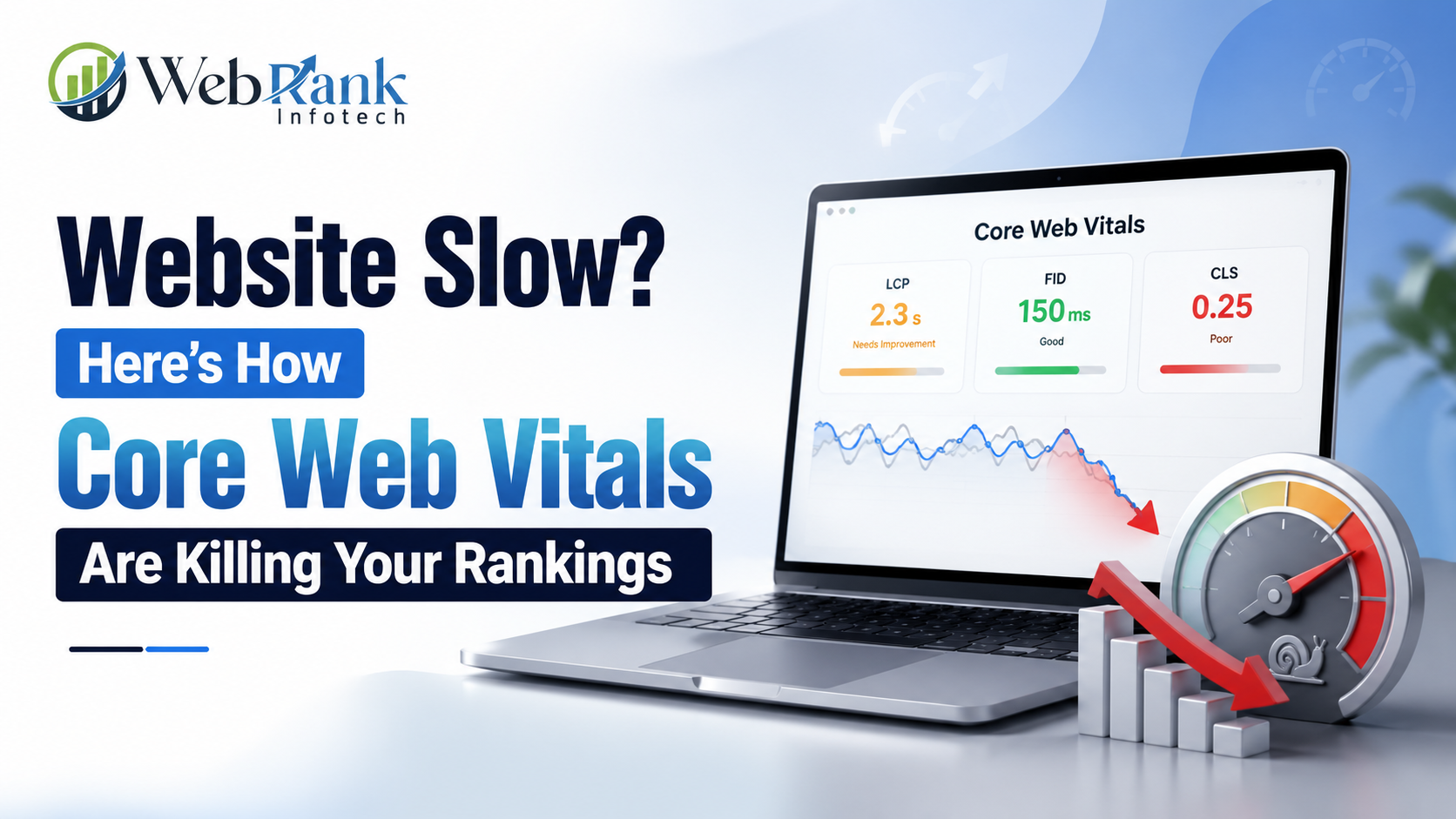
Website Slow? Here’s How Core Web Vitals Are Killing Your Rankings

Core Web Vitals SEO is the reason your website can have great content and still lose rankings to a competitor with a faster page. If your website takes more than 2.5 seconds to show its main content, reacts slowly when someone taps a button, or jumps around while loading, Google is quietly marking you down — even if your content is the best on the page. I’ve audited enough websites to say this plainly: Core Web Vitals aren’t a “nice to have” anymore, they’re a pass/fail gate that decides whether your SEO work even gets a chance to work. I want to walk you through exactly what’s happening on your website, how to check it in the next five minutes, and how to fix it — step by step, in the order I actually use for Core Web Vitals SEO on client sites. What Is Core Web Vitals SEO and Why Does It Matter? Core Web Vitals are three metrics Google uses to measure real user experience on a page: how fast your main content loads, how quickly your page responds when someone clicks or taps, and how much your layout shifts around while loading. I think of them as Google’s way of asking, “did this page feel good to use, or did it feel broken?” Google has confirmed these signals are part of its page experience ranking system, which means a page that fails Core Web Vitals is competing with one hand tied behind its back, regardless of how strong the content is. Here’s what makes this different from older “site speed” advice: Core Web Vitals are measured from real visitors on real devices, not just a lab test. So you can’t fake it with a single speed plugin — Google is watching how your actual traffic experiences your site. Skim summary: Core Web Vitals are Google’s real-user experience metrics (loading speed, responsiveness, visual stability), and they’re a direct ranking factor — not a suggestion. Why Is Your Website Actually Slow? Before I fix anything, I look for the same handful of culprits every time. In my experience, it’s rarely one big issue — it’s three or four small ones stacking up. Skim summary: Website slowness is almost always caused by heavy images, excess scripts, weak hosting, and render-blocking code — not one single problem, but several small ones combined. How Do I Check My Core Web Vitals Score? I never guess — I check. Any real Core Web Vitals SEO process starts with data, not assumptions. Here’s the toolset I actually use, and my honest take on each one after years of running audits. Tool Best For My Rating (out of 5) Google PageSpeed Insights Real user data + lab data in one report 4.5/5 Google Search Console (Core Web Vitals report) Site-wide trends across real visitors 4.5/5 GTmetrix Deep waterfall analysis for developers 4/5 Chrome DevTools (Lighthouse) Quick in-browser diagnostics 4/5 My honest feedback: I judge these tools on three things — accuracy of real-user data, how actionable the recommendations are, and how beginner-friendly the report is. PageSpeed Insights wins because it blends Google’s own field data (from actual Chrome users) with lab data and tells you exactly which element is hurting each metric. Search Console is where I check trends over 28 days before I tell a client “it’s fixed,” since a single test can look good while real users still struggle. GTmetrix is excellent if you want a waterfall chart to hand to a developer, but it can overwhelm a business owner who just wants a yes/no answer. Skim summary: Use PageSpeed Insights for a quick real-user diagnosis and Search Console to confirm the fix is working site-wide over time; GTmetrix and Lighthouse are best left to developers doing deeper digging. What Are LCP, INP, and CLS — and How Do You Fix Each One? Each Core Web Vital measures a different part of the user’s experience. I always explain it to clients in plain language first, then show the fix. Metric What It Measures Good Score Needs Improvement Poor LCP (Largest Contentful Paint) Time until the main content loads Under 2.5s 2.5s – 4s Over 4s INP (Interaction to Next Paint) How fast the page responds to a click/tap Under 200ms 200ms – 500ms Over 500ms CLS (Cumulative Layout Shift) How much the layout jumps while loading Under 0.1 0.1 – 0.25 Over 0.25 How Do You Fix LCP (Slow Loading)? Step 1: Compress and modernize your images I convert hero images and above-the-fold visuals to WebP or AVIF format — this alone often cuts load time by 30-40% without any visible quality loss. Step 2: Set fetchpriority=”high” on your main image This tells the browser to load your primary content first instead of treating it like just another asset in the queue. Step 3: Fix your server response time If your hosting is slow, no amount of front-end fixing will save you. I move clients to faster hosting or add a CDN when server response time (TTFB) is consistently above 600ms. How Do You Fix INP (Slow Responsiveness)? Step 1: Cut down third-party JavaScript I audit every script on the page and remove anything that isn’t earning its keep — old tracking pixels are the most common offender I find. Step 2: Break up long JavaScript tasks Long-running scripts block the browser from responding to clicks. Splitting them into smaller chunks keeps the page reactive. How Do You Fix CLS (Layout Shifting)? Step 1: Reserve space for images and ads I always set explicit width and height attributes so the browser knows how much space to leave before the image loads. Step 2: Avoid inserting content above existing content Cookie banners and promo bars are the biggest CLS offenders I see — if they load late and push content down, that’s counted against you. Skim summary: LCP is fixed through image optimization and faster servers, INP through leaner JavaScript, and CLS through reserved space for images and dynamic elements — each requires

Website Slow? Here’s How Core Web Vitals Are Killing Your Rankings Read More »

Small Business SEO Tips: Compete with Big Brands in Local Search Results

Small Business SEO Tips: Compete with Big Brands in Local Search Results

Ranking above a national brand in local search is not about outspending them. It is about outmaneuvering them. Big brands win on domain authority and budget, but they consistently lose on proximity, specificity, and genuine local trust — three ranking signals that Google rewards heavily in local search, and that a well-run small business can win almost every time. Most small business owners assume local SEO is a budget war they cannot win. That assumption is wrong, and it costs businesses real customers every month. Google’s local algorithm does not rank the biggest advertiser first. It ranks the business that proves it is the most relevant, most trusted, and most active option near the searcher. This guide breaks down exactly how to build that proof, step by step, without a national marketing budget. What Is Local SEO and Why Does It Matter for Small Businesses? Local SEO is the process of optimizing a business’s online presence so it appears in location-based searches — think “plumber near me” or “best bakery in Chandigarh.” Unlike traditional SEO, which competes for broad national visibility, local SEO competes for the map pack, local organic results, and “near me” queries where intent to buy is already high. This matters more for small businesses than almost any other digital marketing lever because local search traffic converts faster. A person searching “emergency electrician near me” is not researching — they are ready to call. Local SEO puts a small business directly in front of that decision-making moment, and it does it without competing against national brands on their turf. Skim summary: Local SEO targets location-based, high-intent searches, and it is the fastest, most cost-effective way small businesses generate qualified leads without competing against big brands on broad national keywords. Why Do Big Brands Struggle to Dominate Local Search? Big brands are built for scale, not specificity. Their content teams manage thousands of pages across hundreds of locations, which means they cannot produce the hyper-local, neighborhood-level content that ranks for long-tail searches. According to Ahrefs’ keyword research, the majority of all search queries are long-tail — specific, multi-word phrases — and this is exactly where big brands underperform and small businesses win. Ranking Factor Big Brand Advantage Small Business Advantage Domain Authority Very high Low to moderate Content Budget Very high Low Proximity to Searcher Weak (one location per city) Strong (deeply embedded) Review Volume & Authenticity Diluted across locations Concentrated, personal Local Citation Accuracy Often inconsistent Easy to control Hyperlocal Content Depth Rarely produced Highly achievable Community/Local Backlinks Minimal Naturally accessible Skim summary: Big brands dominate on domain authority and budget, but local SEO ranking factors like proximity, review authenticity, and hyperlocal content favor small, focused businesses — a genuine structural advantage that doesn’t require a big spend to use. How Can a Small Business Beat Big Brands in Local Search? (Step-by-Step Guide) This is the practical part. Each step below builds on the last, and skipping steps is the most common reason local SEO efforts stall. We recommend working through this in order rather than cherry-picking tactics. Step 1: Optimize Your Google Business Profile Completely Google Business Profile (GBP) is the single most influential local ranking factor because it feeds directly into the map pack. An incomplete or inactive profile is invisible no matter how good the website is. What a complete profile includes Why this works Google prioritizes profiles that show consistent activity and completeness because it signals a real, currently operating business — something a national brand’s local listing often fails to maintain across every branch. Step 2: Fix NAP Consistency Across Directories NAP stands for Name, Address, Phone number. If these details differ even slightly across Google, Yelp, Bing Places, and Facebook, Google treats it as a trust signal problem. Directory Common NAP Error Fix Google Business Profile Old phone number Update directly in GBP dashboard Yelp Abbreviated address Match exact GBP formatting Facebook Missing suite/unit number Standardize across all platforms Bing Places Duplicate listing Merge or remove duplicates Skim summary: Consistent NAP data across every directory builds the trust signal Google needs to confidently rank a business in local results — inconsistency is one of the most common, and most fixable, local SEO mistakes. Step 3: Target Long-Tail, Hyperlocal Keywords Instead of chasing “restaurant Chandigarh,” a small business should target “best butter chicken restaurant Sector 34 Chandigarh.” Lower volume, dramatically lower competition, and far higher purchase intent. How to find these keywords Step 4: Build Local Backlinks and Citations Backlinks from local news sites, community blogs, local business associations, and event sponsorships carry more local ranking weight than generic high-authority links from unrelated industries. Practical ways to earn them Step 5: Generate and Respond to Reviews Strategically Review volume, recency, and response rate all factor into local ranking. A small business with 50 recent, responded-to reviews often outranks a big brand location with 200 old, unanswered ones. A simple review system Step 6: Publish Locally-Relevant Content Neighborhood guides, local event coverage, and location-specific service pages let a small business own searches that no national content calendar has time for. Step 7: Add Local Business Schema Markup Schema markup is structured code that tells Google exactly what a business does, where it operates, and what it offers. Most competitor content skips the technical detail here, but this is a genuine ranking lever. What to mark up Step 8: Optimize for Mobile and Page Speed Most “near me” searches happen on mobile, often while someone is walking or driving. A slow-loading site loses that visitor before it ever explains what the business offers. Skim summary: Winning local search is a sequence, not a single tactic — GBP optimization, NAP consistency, hyperlocal keywords, local backlinks, review management, location content, schema markup, and mobile speed all compound together to outrank bigger, less specific competitors. How Long Does It Take to Rank in Local Search? Business Situation Typical Timeline New GBP, no prior optimization 8–12 weeks for initial movement Existing profile, inconsistent NAP fixed 4–8 weeks

Small Business SEO Tips: Compete with Big Brands in Local Search Results Read More »

Local-SEO-fo- Small-Business-Why-Your-Phone-Stays-Quiet

Local SEO: The Reason Your Competitor’s Phone Rings and Yours Doesn’t

If your competitor’s phone keeps ringing and yours stays quiet, the gap almost never comes down to a better product or a bigger budget — it comes down to local SEO for small business done right. We have watched businesses with a weaker offer out-rank stronger businesses simply because they showed up first when a customer typed “near me.” In this guide, we walk you through exactly how to find the leak in your local visibility and fix it, step by step, using the same process we use for our own SEO Services clients. We have sat across the table from business owners who tell us the same thing: “My competitor isn’t even better than me, but they’re always the one people call first.” Every time, the answer is sitting in plain sight — Google Business Profile, on-page signals, reviews, or citations. Once we fix those, the phone starts ringing again. That is the entire premise of this article. What Is Local SEO and Why Does It Decide Whose Phone Rings? Local SEO is the process of optimizing your online presence so Google shows your business to people searching in your city, neighborhood, or service area. It is different from general SEO because it is not about ranking nationally — it is about ranking in the Local Pack (the map + 3-listing box) and in local organic results for searches like “plumber in Ludhiana” or “dentist near me.” Here is why this decides whose phone rings and whose doesn’t: when someone searches “near me,” Google is not comparing your entire website against the entire internet. It is comparing you against the handful of businesses physically close enough and relevant enough to answer that specific query. That is a much smaller, winnable competition — which is exactly why one business dominates and the other disappears. We explain this in more depth in our Search Engine Optimization services, where we break down how local ranking factors differ from national SEO factors. Skim summary: Local SEO controls visibility for “near me” and city-specific searches through the Local Pack and local organic results. It’s a smaller competitive pool than national SEO, which is why fixing a few specific signals can flip who gets found first — you or your competitor. How Do You Know If Your Local SEO Is Broken? You know your local SEO is broken when you rank on the map but your competitor still gets the call, or when you don’t show up on the map at all for your core service + city search. We check three things first with every client: Symptom What It Usually Means You don’t appear in the Local Pack (map box) for your main service Your Google Business Profile is incomplete, unverified, or miscategorized You appear in the pack but rank 2nd or 3rd below a competitor Weaker review count/rating, inconsistent NAP (Name, Address, Phone), or fewer local citations You rank fine but calls don’t convert Your Business Profile or website lacks trust signals — photos, hours, response to reviews, clear service list You show up for your brand name but not for “[service] near me” Your website has no location-specific content or keywords If any of these match what you’re seeing, the fix is not a redesign of your website — it’s a targeted local SEO correction, which is what the next section walks through. Skim summary: Broken local SEO shows up as one of four patterns — missing from the map, ranking below competitors, ranking but not converting, or invisible for “near me” searches. Each pattern points to a specific, fixable cause rather than a full website overhaul. How to Fix Your Local SEO: A Step-by-Step Guide We use this exact sequence with every business we work with, in this order, because each step builds trust signals the next step depends on. Step 1: Claim and Fully Optimize Your Google Business Profile Claim your listing on Google Business Profile if you haven’t, then fill in every single field — categories, service list, business hours, service area, and at least 10 real photos. We have seen businesses jump into the Local Pack within weeks purely from completing a profile that was 40% filled out. Step 2: Fix On-Page Local Signals on Your Website Add your city and service area naturally into your title tags, H1, and page copy — not stuffed, just present where it reads naturally. We always add a dedicated “Areas We Serve” section and embed a Google Map on the contact page. Step 3: Build NAP-Consistent Citations NAP stands for Name, Address, Phone number. We audit every directory listing (Justdial, Sulekha, Google, Facebook, industry directories) to confirm they match exactly. Inconsistent NAP is one of the most common reasons a business plateaus below its competitor. Step 4: Build a Review Engine, Not Just a Few Reviews We set up a simple system — a QR code or link sent right after service — so happy customers can leave a review in under 30 seconds. Review count and recency both influence local ranking, and businesses that reply to every review (good or bad) build more trust with future customers reading them. Step 5: Earn Local Backlinks We reach out to local news sites, industry associations, and community pages for backlinks. A backlink from a genuinely local, relevant source tells Google your business is a real part of that community — which weighs more than ten generic backlinks from unrelated sites. Step 6: Build Dedicated Location and Service Pages If you serve more than one area, each deserves its own page with unique content — not a copy-pasted template with the city name swapped. We write these to answer what a real customer in that area is searching for. Step 7: Optimize for AI SEO, Not Just Google’s Blue Links This is the step most local businesses still skip. AI SEO means structuring your content and business data so AI Overviews, ChatGPT, and Perplexity can pull your business into their answers —

Local SEO: The Reason Your Competitor’s Phone Rings and Yours Doesn’t Read More »

AI Search Visibility: 7 Proven Fixes Using SEO, GEO & AIEO

AI Search Visibility: 7 Proven Fixes Using SEO, GEO & AIEO

Your customers stopped scrolling through ten blue links. They started asking ChatGPT, Google AI Overviews, and Perplexity direct questions and trusting the answer they get back. If your business isn’t the answer being cited, you’re invisible — no matter how well you rank on page one. Fixing that takes three connected disciplines: SEO to earn the click, GEO to earn the citation, and AIEO to earn the AI’s trust. Search behavior has shifted more in the last eighteen months than in the previous five years combined. We used to tell clients “get to page one and you’re done.” Not anymore. Now the message is simple: page one doesn’t matter much if the AI Overview sitting above it never mentions your name. Here’s exactly how we diagnose weak AI search visibility and fix it, step by step. The short version, before we go deep: What Does It Mean When Your Business Is “Invisible” on AI Search? Invisibility on AI search doesn’t mean your website is broken or unindexed. It just means AI tools like Google AI Overviews, ChatGPT, and Perplexity never bring up your brand, your product, or your expertise when someone asks a question you could easily answer. You can rank #3 on Google and still be completely missing from the AI-generated summary sitting right above that ranking. This happens constantly — a client’s site pulls decent organic traffic, but the moment someone asks ChatGPT or Perplexity the exact question their landing page targets, their name never shows up. That’s poor AI search visibility in 2026: not a ranking problem, a recognition problem. In short: being invisible on AI search means AI tools skip your brand entirely when generating an answer, even if your traditional SEO looks healthy. Why Is AI Changing the Way People Search for Businesses Like Yours? People now expect a direct answer, not a list of links to sift through, and that’s changing everything about search. A Pew Research Center analysis found users clicked on a traditional search result in just 8% of searches with an AI summary present, compared to nearly double that rate on searches without one. We’ve watched this play out in client analytics too — click-through rates on informational queries have dropped even while rankings held steady or improved. The traffic isn’t going to a competitor anymore; the AI answer is simply absorbing it. That’s why success today gets measured less by rank position and more by how often a brand gets cited inside the AI answer itself. Simply put: AI answers are replacing the click. If your content isn’t structured to be quoted by AI, you lose visibility even while ranking well. What Is the Difference Between SEO, GEO, and AIEO? These three disciplines solve different problems, and it helps to think of it this way: SEO gets you found, GEO gets you quoted, and AIEO gets you trusted at scale. Discipline What It Optimizes For Primary Goal Where It Shows Up SEO (Search Engine Optimization) Traditional search engine rankings Rank on page one of Google/Bing Organic search results GEO (Generative Engine Optimization) Being cited inside AI-generated answers Get quoted or summarized by AI Google AI Overviews, Perplexity, AI Mode AIEO (AI Engine Optimization) How AI systems judge your overall trust and authority Long-term credibility across every AI platform ChatGPT, Claude, Gemini, voice assistants Show Image Technical health, on-page structure, and backlinks still matter, which is why SEO Services remain the foundation for every client we work with. GEO builds on top of that by shaping how content gets pulled into AI summaries. AIEO sits above both, since it’s less about a single page and more about whether AI systems, over time, decide your brand is worth referencing at all. Strong AI search visibility almost always comes from running all three together, not picking just one. For a closer look at how the technical and on-page side comes together, check out our SEO services page. Quick summary: SEO ranks you, GEO gets you quoted by AI, and AIEO builds the long-term trust that keeps you visible everywhere. They work together, not as substitutes for each other. How Do You Check Your AI Search Visibility Today? You find out by testing, not guessing. Here’s the checklist we run through with every client before touching a single page. Run the Direct-Question Test Ask ChatGPT, Perplexity, and Google AI Mode the exact question your ideal customer would type — not your brand name, the actual problem they’re trying to solve. If your business doesn’t show up in the answer, that’s a visibility gap. Check Your AI Overview Presence Search your top five money keywords on Google and note whether an AI Overview appears, and whether your domain gets cited inside it. Keeping a simple monthly spreadsheet for this per client makes patterns easy to spot. Audit Your Structured Data Missing or broken schema markup is one of the most common reasons AI systems can’t parse a site correctly. Google’s own structured data documentation is worth bookmarking for every audit. Review Your Off-Site Trust Signals AI systems weigh reviews, mentions, and third-party citations heavily. If your brand rarely shows up outside your own website, that’s a trust gap AIEO needs to close — which is exactly why AIEO work often goes hand in hand with online reputation management for clients with a thin review footprint. In one line: test your visibility with real questions across three AI tools, check schema, and audit off-site trust — that combination tells you exactly where you’re invisible and why. How to Fix Weak AI Search Visibility: A Step-by-Step Process This is the sequence we follow with clients, and skipping a step usually means redoing it later. Step 1: Audit Current AI and Search Visibility Start by documenting where things currently stand — rankings, AI Overview appearances, and citation frequency across ChatGPT and Perplexity. Without this baseline, there’s no way to prove improvement later. Step 2: Fix the Technical and On-Page SEO Foundation GEO and AIEO can’t fix a

AI Search Visibility: 7 Proven Fixes Using SEO, GEO & AIEO Read More »

AI SEO: Rank on ChatGPT, Gemini, Claude & Perplexity

AI SEO: Rank on ChatGPT, Gemini, Claude & Perplexity

If you’re ranking #1 on Google and still invisible in ChatGPT, Gemini, or Perplexity, you’re not failing at SEO — you’re solving the wrong problem. AI search engines don’t rank pages the way Google does; they retrieve, filter, and cite them through an entirely different pipeline. I’ve spent the last two years watching this shift happen in real client data, and the businesses winning right now aren’t the ones with the highest domain authority. They’re the ones who understood, early, that AI SEO is a separate discipline from traditional SEO — related, but not the same game. Search is splitting in two. One half still looks like ten blue links. The other half is a single generated answer, and your brand either gets named in it or it doesn’t exist for that searcher. This is why AI SEO — sometimes called GEO (Generative Engine Optimization) or AEO (Answer Engine Optimization) — has stopped being a “nice to have” for forward-thinking marketers and become the single highest-leverage channel most businesses are underinvesting in. Here’s why this matters right now. Google’s AI Overviews now appear on a large share of informational searches, and Google AI Mode has its own separate retrieval logic. ChatGPT has hundreds of millions of weekly users asking product and buying questions directly. Perplexity cites sources in nearly every answer it gives. Claude increasingly gets used for research and comparison tasks by people who never touch Google at all. None of these systems reward the same signals Google’s classic algorithm rewards, and I want to walk you through exactly what does work with AI SEO, platform by platform, with the mechanics, not the hype. I write this from direct, hands-on testing — running the same prompts across ChatGPT, Gemini, Claude, and Perplexity repeatedly, watching which of my own and my clients’ pages get pulled in and which get ignored. What follows is the clearest picture I can give you of how each of these systems actually decides what to trust, and how a deliberate AI SEO strategy should account for each one. Table of Contents What Is AI SEO? AI SEO is the practice of optimizing your website, content, and brand presence so that AI-powered search and chat systems — ChatGPT, Google Gemini/AI Overviews, Claude, Perplexity, and Bing Copilot — retrieve, reference, and recommend you in their generated answers. It sits at the intersection of three older disciplines: I think of AI SEO as the umbrella term a business owner actually searches for, while GEO and AEO are the technical sub-disciplines underneath it. If you’re building an AI SEO strategy, you need all three working together: you can’t get cited in an AI answer if your site isn’t even indexed, and you can’t win an AI Overview if your content doesn’t answer the question directly in the first few sentences. The core shift AI SEO asks you to make: stop optimizing purely for rank position, and start optimizing for extractability and trust. An AI model doesn’t scroll through your page and give you credit for keyword placement. It pulls a chunk of your content, decides if it can attribute a claim to you confidently, and either includes you or moves to the next candidate. Quick Summary: AI SEO is the umbrella strategy for getting cited and recommended inside AI-generated answers across ChatGPT, Gemini, Claude, and Perplexity. It combines classic SEO fundamentals with GEO (making content citable) and AEO (making content answer-first), and it succeeds or fails based on whether your content is extractable, trustworthy, and specific enough for an AI system to confidently attribute a claim to you. Why Is AI Search Changing the Rules of SEO? AI search is changing the rules of SEO because it removes the click. In classic search, Google shows you ten options and you choose. In AI search, the system chooses for the user and hands them one synthesized answer with a handful of citations. If you’re not one of those citations, you don’t just rank lower — you don’t exist in that interaction at all. Three structural shifts are driving this: I’ve watched this play out with clients who were previously obsessed with page-one Google rankings, only to discover competitors dominating the exact same buyer questions inside ChatGPT and Perplexity — competitors who, in some cases, don’t even rank in Google’s top 10 for that keyword. Traditional SEO alone no longer guarantees discovery. It’s necessary infrastructure for AI SEO, but it isn’t sufficient on its own. Quick Summary: AI search replaces a ranked list of links with a single synthesized answer and a small set of citations, so classic rank position matters less than it used to. Data shows AI Overview citations increasingly come from outside Google’s top 10, and AI chat platforms are becoming a primary research step before a purchase — meaning traditional SEO is necessary but no longer sufficient on its own. How Is AI SEO Different From GEO and AEO? Short answer: they’re not competing strategies — they’re layers of the same AI SEO stack. Discipline What it optimizes for Primary systems Core tactic SEO Ranking position on search engine results pages Google, Bing Keywords, backlinks, technical health, content depth AEO (Answer Engine Optimization) Being the direct answer to a specific question Featured snippets, voice search, AI Overviews Answer-first structure, Q&A formatting, concise definitions GEO (Generative Engine Optimization) Being cited/quoted inside a generative AI response ChatGPT, Gemini, Claude, Perplexity Statistics, quotations, citations, entity clarity, structural extractability AI SEO The umbrella outcome — visibility across all AI-driven discovery surfaces All of the above Combines SEO + AEO + GEO into one coordinated strategy The peer-reviewed paper that formalized GEO (Aggarwal et al., 2024, presented at KDD, from researchers at Princeton, Georgia Tech, and IIT Delhi) tested this scientifically: adding cited statistics, direct quotations, and clear citations to a passage boosted its visibility inside generative answers by up to 40%, with some techniques producing gains as high as 30–115% depending on the query category. That’s not marketing copy —

AI SEO: Rank on ChatGPT, Gemini, Claude & Perplexity Read More »

Scroll to Top