Digital Marketing Agency

Local SEO for Chandigarh & Mohali Businesses: The Complete How-To Guide

Local SEO for Chandigarh & Mohali Businesses: The Complete How-To Guide

Local SEO for Chandigarh & Mohali businesses is not about ranking everywhere – it is about owning the search results in Chandigarh, Mohali, Panchkula, and the wider Tricity region where actual customers search. A business headquartered here already holds a location advantage that a Delhi or Mumbai agency can never fully replicate, but that advantage only converts into rankings when Google Business Profile, citations, reviews, and content are optimized correctly. Most local business owners confuse local SEO with “getting a website” or “boosting a Google post.” That confusion costs real customers every month. This guide to local SEO for Chandigarh & Mohali businesses breaks the process into step-by-step, actionable stages built specifically for the Tricity market – its competition levels, its search behavior, and the way Google treats hyperlocal queries in 2026. What Is Local SEO and Why Does It Matter for Chandigarh & Mohali Businesses? Local SEO is the process of optimizing a business’s online presence so it appears in Google’s local pack, Google Maps, and location-based organic results when someone nearby searches for a relevant product or service. For a business in Sector 17 Chandigarh or Phase 8 Mohali, this means showing up when someone types “dentist near me,” “best gym in Mohali,” or “SEO services in Chandigarh.” Local SEO matters more in the Tricity than in most Indian metros for one simple reason: search intent here is hyperlocal by default. Someone in Zirakpur searching for a service rarely wants a Panchkula result, and Google’s algorithm has become precise enough to respect that distinction down to the sector level. Skim summary: Local SEO helps Chandigarh and Mohali businesses appear in Google Maps and local search results for nearby customers actively looking to buy, not just browse – making it the highest-intent, lowest-cost marketing channel available to a local business. How Is Local SEO Different From Regular SEO? Regular (organic) SEO focuses on ranking a website nationally or globally for a keyword, regardless of the searcher’s location. Local SEO focuses on ranking for a keyword plus proximity, relevance, and prominence signals tied to a specific city, sector, or neighborhood. Factor Regular SEO Local SEO Primary ranking signal Backlinks, content depth, domain authority Google Business Profile, citations, proximity Search result type Organic blue links Local pack (map + 3 listings) + organic Competition scope National/global City/sector-specific (e.g., Chandigarh vs. all of India) Buyer intent Mixed (informational + commercial) Mostly transactional (“near me,” “in Chandigarh”) Review influence Minimal Direct ranking factor A Chandigarh-based clinic does not need to outrank a Mumbai clinic; it needs to outrank the three other clinics in a 3 km radius. That distinction changes the entire strategy, which is why generic national SEO advice often fails local businesses. Skim summary: Regular SEO competes nationally on content and backlinks; local SEO competes hyperlocally on Google Business Profile strength, reviews, and proximity – a much smaller, winnable battlefield for Chandigarh and Mohali businesses. Why Does “Home Turf” Give Chandigarh & Mohali Businesses a Ranking Advantage? Google weighs proximity and relevance heavily for local queries. A business physically registered, verified, and consistently mentioned across Chandigarh or Mohali directories starts with a natural edge over an outside agency or franchise trying to rank for the same city without a genuine local footprint. This “home turf” advantage shows up in three ways: According to Google’s own guidance on local search ranking, relevance, distance, and prominence are the three core factors that decide who shows up in the local pack – all three favor a business that is genuinely rooted in Chandigarh or Mohali over one that is not. Skim summary: Being headquartered in Chandigarh or Mohali is not just a location detail – it is a ranking signal in itself, since proximity and local relevance are two of Google’s three core local ranking factors. How Do You Set Up a Google Business Profile That Ranks? Google Business Profile (GBP) is the single most important asset in local SEO for Chandigarh & Mohali businesses. A weak or incomplete profile is the number one reason they stay invisible on Maps. Step 1: Claim and Verify the Listing Search the business name on Google Maps first to check for duplicate or unclaimed listings. Claim the correct one through Google Business Profile and complete verification via phone, postcard, or video, depending on eligibility. Step 2: Choose the Most Specific Category Select the most specific primary category available (e.g., “Dental Clinic” rather than “Healthcare”). Add secondary categories only if they genuinely apply. Step 3: Match NAP Exactly Name, Address, and Phone number (NAP) must match exactly across the website, GBP, and every citation source – including sector number, road name, and pin code formatting. Step 4: Add Service Areas and Sector-Level Details For businesses serving multiple areas (Chandigarh, Mohali, Panchkula, Zirakpur), list each serviceable area explicitly in the GBP service-area settings rather than relying on the city name alone. Step 5: Upload Real, Geo-Tagged Photos Upload actual photos of the storefront, team, and workspace – geo-tagging where possible signals authenticity that stock images cannot replicate. Step 6: Post Weekly Updates Use the GBP Posts feature weekly to signal an active, maintained profile – a factor Google’s local algorithm rewards over dormant listings. Skim summary: A fully verified, accurately categorized, and actively updated Google Business Profile is the foundation of local rankings – most Chandigarh and Mohali businesses lose visibility simply because this one asset is incomplete or inconsistent. What Local Ranking Factors Should Chandigarh & Mohali Businesses Focus On? Not every ranking factor deserves equal attention. The table below ranks the most impactful local SEO factors specifically for a Tricity market where competition is moderate but growing fast. Ranking Factor Impact Level Why It Matters in Chandigarh/Mohali Google Business Profile completeness Very High Directly determines local pack visibility Review quantity + recency Very High Tricity buyers compare review counts across nearby competitors before calling NAP consistency across citations High Sector-based addresses are easy to mismatch (e.g., “SCO 45” vs “Shop 45”) On-page location signals High City

Local SEO for Chandigarh & Mohali Businesses: The Complete How-To Guide Read More »

How to Remove Negative Reviews & Fix Your Google Business Profile

How to Remove Negative Reviews & Fix Your Google Business Profile

Google doesn’t let any business delete a review with one click – but it does let a business report policy-violating reviews, appeal a wrongful denial, and fix a suspended profile through a defined process. The fastest path to a clean Google Business Profile is knowing exactly which reviews qualify for removal and which ones need a smart reply instead. A single 1-star review can sit at the top of a Google Business Profile for years and quietly turn away customers who never even call to ask what happened. The good news: Google Business Profile (GBP) runs on a documented policy, and that policy gives every business a real shot at cleaning up fake, abusive, or spam reviews – as long as the right steps are followed in the right order. This guide breaks down the exact process to flag a review, appeal a denial, fix a suspended listing, and rebuild a profile’s reputation without wasting time on tactics that Google ignores. What Counts as a Negative Review on a Google Business Profile? Not every 1-star review is a policy violation, and that distinction changes the entire strategy. A negative review generally falls into one of two buckets: Genuine but Unfavorable Reviews A real customer had a real bad experience – slow service, a billing mix-up, a product that didn’t meet expectations. Google keeps these live because they reflect an actual visit or transaction, even if the tone is harsh. Policy-Violating Reviews These reviews break Google’s content policy for reasons unrelated to the actual customer experience – spam, fake accounts, conflicts of interest, off-topic rants, hate speech, or reviews from someone who never used the business. Skimmable takeaway: A review only qualifies for removal when it breaks a specific Google policy – not simply because it’s harsh, unfair, or bad for business. Sorting reviews into “genuine” vs “policy-violating” before taking any action saves time and prevents wasted appeals. Can a Business Actually Remove a Negative Google Review? Yes, but only through Google – no business can delete a review directly from its own dashboard. Google’s system works like this: a business flags a review, Google’s moderation team (partly automated, partly human) checks it against policy, and the review is either removed, kept, or the case is closed with no explanation. Removal happens in roughly three scenarios: A legitimate negative review – even a brutally honest one – almost never gets removed. Google’s stance, echoed across its own Business Profile Help documentation, is that authentic experiences stay up regardless of tone. Skimmable takeaway: Removal is possible but conditional – Google only deletes reviews that violate policy, never reviews that are simply negative. Businesses expecting a 100% removal rate for every 1-star review will be disappointed; the realistic goal is removing the fake ones and neutralizing the real ones through a smart reply. How to Flag a Review That Violates Google’s Policy? This is the core how-to process, and it takes under five minutes per review. Step 1: Open the Business Profile Search the business name on Google, or sign in directly through the Google Business Profile Manager. Step 2: Go to the Reviews Tab Click “Reviews” (sometimes labeled “Manage reviews”) in the left-hand menu of the dashboard. Step 3: Locate the Review Scroll to the specific review, or use the search bar if the profile has a high review volume. Step 4: Open the Three-Dot Menu Click the three vertical dots next to the review and select “Flag as inappropriate” or “Report review.” Step 5: Choose the Correct Violation Reason Google presents a dropdown of policy categories – spam, conflict of interest, hate speech, off-topic content, etc. Selecting the exact matching reason significantly improves the odds of removal; a mismatched reason often leads to an automatic rejection. Step 6: Submit and Track the Case After submission, Google typically responds within 3–7 business days, sometimes longer during high-volume periods. Track the status inside the Reviews Management Tool, which shows every flagged review and its current state. Skimmable takeaway: Flagging a review is a six-step process – locate it, open the three-dot menu, select the precise violation reason, and submit through the Reviews Management Tool. Picking the correct policy category (not just “this seems fake”) is the single biggest factor in getting a real response from Google’s moderation system. What Review Policy Violations Does Google Actually Accept? Understanding which categories Google enforces avoids wasted appeals on reviews that will never be removed. Violation Type What It Looks Like Removal Likelihood Fake or spam review Posted by a bot, competitor, or someone who never visited High Conflict of interest Written by an employee, ex-employee, or business owner High Off-topic content Complaint unrelated to the actual product/service (e.g., political rant) Medium-High Hate speech or harassment Slurs, threats, discriminatory language High Personal information exposure Names, phone numbers, addresses posted without consent High Illegal content Defamation, promotion of illegal activity Medium Restricted content Explicit or graphic material High Genuine bad experience Real customer, real complaint, harsh tone Very Low Skimmable takeaway: Google’s policy accepts fake reviews, conflict-of-interest reviews, off-topic rants, and hate speech as removal-eligible categories – but a review from an actual dissatisfied customer almost never qualifies, no matter how unfair it feels. Checking a review against this table before flagging prevents a predictable rejection. What Is a Negative SEO Attack via Fake Reviews, and How Is It Fixed? A single fake review is an isolated problem. A negative SEO attack is a coordinated one – a competitor or bad actor floods a Google Business Profile with multiple fake 1-star reviews in a short window, specifically to tank the average rating and push the profile down in local rankings. This is different from a normal bad review, and it needs a different response. Signs of a Coordinated Attack Rather Than a Single Bad Review How to Fix a Negative SEO Review Attack A single flagged review rarely needs outside help, but a coordinated attack usually does – sorting through dozens of case IDs, tracking appeal statuses,

How to Remove Negative Reviews & Fix Your Google Business Profile Read More »

Why Is My Website Getting Traffic But No Leads? (And How to Fix It)

Why Is My Website Getting Traffic But No Leads? (And How to Fix It)

A website can get thousands of visitors and still generate zero leads. Traffic is not the same as demand — a website converts leads only when the right visitors arrive, trust the brand within seconds, and find a clear, easy next step. Fixing this gap does not require more traffic; it requires fixing what happens after someone lands on the page. Analytics show a steady stream of visitors. Rankings look solid. Ads are driving clicks. Yet the inbox stays empty and the phone does not ring. This is one of the most common problems a digital marketing agency gets asked to solve, and it almost never has one single cause. Below is a complete, practical breakdown of why this happens and exactly how to fix it. What Does It Mean When a Website Gets Traffic But No Leads? Getting traffic but no leads means visitors are reaching the website, but almost none of them are taking a meaningful action — filling a form, calling, booking a consultation, or requesting a quote. This is a conversion problem, not a traffic problem. A site can rank on page one, run high-performing ads, and still fail to generate business if the pages, messaging, or follow-up process are not built to turn visitors into inquiries. In short: the traffic numbers look healthy, but the conversion numbers behind them tell the real story. Before adding more visitors, the existing traffic needs to be checked for quality, trust, and a clear path to action. Why Do Visitors Land on a Website but Never Convert? Visitors leave without converting for a small number of repeatable reasons: they are not the right audience, they do not trust the business yet, the next step is unclear, or something on the page (speed, design, forms) creates friction. Most websites lose leads at one of these four stages rather than a mysterious, unfixable issue. Stage Common Failure Effect Attraction Wrong keywords or ad targeting Wrong audience arrives Trust No proof, reviews, or credibility signals Visitors doubt the business Action Weak or missing CTA Visitors don’t know what to do next Follow-up Slow or no response to inquiries Interested leads go cold In short: conversion loss almost always happens in one of four predictable stages — attraction, trust, action, or follow-up — and each stage needs a different fix. Is the Traffic Even the Right Audience? Not all traffic carries buying intent. Ranking for broad, informational keywords brings in readers who are researching, not ready to hire or buy. This is one of the most overlooked reasons a website shows strong numbers but weak conversions. Low-Intent vs High-Intent Keywords Low-Intent (Informational) High-Intent (Commercial/Transactional) “What is SEO” “SEO services near me” “Digital marketing tips” “Digital marketing agency for small business” “How does PPC work” “PPC company pricing” “Types of online reputation issues” “Online reputation management services” A blog ranking for “what is SEO” will pull in students and curious readers. A page ranking for “SEO services” in a specific city pulls in business owners ready to talk. Search behavior itself is shifting too — McKinsey’s research on AI-powered search shows discovery moving toward AI-generated answers, meaning keyword strategy now needs to account for both traditional rankings and how content gets surfaced in AI Overviews and chat-based search. In short: traffic volume is meaningless without intent. Prioritizing commercial and transactional keywords over broad informational ones brings in visitors who are closer to a buying decision. Does the Website Build Enough Trust in the First Few Seconds? Visitors decide whether to trust a business within seconds of landing on a page. Outdated design, no reviews, no clear proof of results, or a missing “About” story all cause immediate drop-off, regardless of how good the offer actually is. Trust Signals That Matter Most A useful reference point on this is the Nielsen Norman Group’s research on website credibility, which shows how quickly users scan and judge a page before deciding to stay or leave. In short: without visible trust signals in the first few seconds, even well-targeted, high-intent visitors will leave before considering a purchase. Are Weak CTAs and Complicated Forms Losing Leads? A call-to-action (CTA) tells a visitor exactly what to do next. Without one clear, visible CTA per page, most visitors simply leave. The same applies to forms — every additional field reduces the chance someone completes it. CTA and Form Checklist In short: one clear CTA and a short form consistently outperform cluttered pages with multiple vague actions and long forms. Is Site Speed or Mobile Experience Killing Conversions? A slow website or a broken mobile layout quietly kills leads before a visitor ever reads the offer. Since most traffic today comes from mobile devices, a page that loads slowly or displays incorrectly on a phone loses the majority of potential leads immediately. Google’s own Core Web Vitals guidelines outline the speed and stability benchmarks that directly affect both user experience and search rankings — a page failing these benchmarks is losing leads on two fronts at once. In short: page speed and mobile usability are not just SEO ranking factors; they are direct lead-generation factors, since most visitors abandon slow or broken mobile pages within seconds. How to Fix a Website That Gets Traffic But No Leads (Step-by-Step Guide) Fixing this problem requires a structured audit rather than guesswork. The steps below follow the order that produces the fastest, most measurable improvement. Step 1: Audit Traffic Sources and Keyword Intent Check Google Search Console and analytics to see which keywords and channels bring the most traffic. Separate informational keywords from commercial ones, and note which pages get views but zero conversions. Step 2: Add Trust Signals to Every Key Page Add testimonials, case studies, and credibility markers to the homepage, service pages, and contact page — not just a dedicated “testimonials” page most visitors never visit. Step 3: Simplify CTAs and Shorten Forms Reduce every page to one primary CTA. Cut forms down to the essentials — name and phone or

Why Is My Website Getting Traffic But No Leads? (And How to Fix It) Read More »

small business SEO tips

Small Business SEO Tips: Compete With Big Brands Locally

Big brands do not outrank small businesses in local search because of budget. They outrank them when small businesses skip the basics that actually decide local rankings — a complete Google Business Profile, consistent local content, real reviews, and clean technical SEO. Local search rewards relevance, proximity, and trust — three signals a small, focused business can build faster than any national brand — and this guide breaks down exactly how to do that, step by step. Why Do Big Brands Still Lose to Small Businesses in Local Search? Google’s local ranking system does not run on domain size. It runs on three factors published directly by Google: relevance, distance, and prominence. A national brand’s website might carry more backlinks and more domain authority overall, but none of that guarantees a strong position in the local pack — the map results that show up for searches with local intent. Distance to the searcher and relevance to the exact query often outweigh raw authority in these results. A big brand with one generic listing serving an entire city cannot match a local business with a fully optimized profile, hyperlocal content, and steady reviews from real nearby customers. This is why a two-person plumbing business regularly outranks a national franchise for “plumber near me” searches in its own neighborhood. Big brands also tend to under-invest in local signals because their marketing teams are built for scale, not for street-level precision. They rarely respond to reviews individually, rarely publish location-specific content, and often have inconsistent business listings across directories. Every one of those gaps is an opening. Quick summary: Local search ranks on relevance, distance, and prominence — not domain size. Big brands often neglect location-specific signals like review responses and NAP consistency, which gives small businesses with a focused, well-maintained local presence a genuine structural advantage over national competitors. How to Set Up a Google Business Profile That Outranks National Competitors? Google Business Profile (GBP) is the single highest-leverage asset for local rankings. Most small businesses claim it and stop there. Winning it requires ongoing management. Step 1: Claim and Verify the Correct Category Choose the most specific primary category available, not the broadest one. A “family-owned Italian restaurant” should select “Italian Restaurant,” not just “Restaurant.” Specific categories match specific search intent more precisely, which improves relevance scoring. Step 2: Keep NAP Data 100% Consistent Name, Address, and Phone number (NAP) must match exactly across the GBP listing, the website, and every directory listing. Inconsistent NAP data confuses Google’s trust signals and can quietly suppress rankings even when everything else is optimized. Step 3: Add Location-Specific Attributes and Services List every service or product category the business offers, using the exact terms customers search for. A bakery should list “custom birthday cakes,” “eggless cakes,” and “same-day delivery” as separate service entries rather than one vague “bakery items” line. Step 4: Post Weekly Updates and Real Photos Businesses that post GBP updates weekly and upload fresh, geotagged photos regularly signal ongoing activity, which correlates with stronger local pack visibility. Stock photos and stale listings signal the opposite. Step 5: Respond to Every Review Within 48 Hours Response rate and response speed are both measurable engagement signals. A fast, personalized response to a three-star review often does more for trust than five generic five-star reviews with no reply. Quick summary: A fully optimized Google Business Profile — correct category, consistent NAP, detailed service listings, fresh photos, and fast review responses — is the fastest path to outranking a big brand’s generic, under-managed listing in local map results. What Local Keywords Should a Small Business Target Instead of Broad Terms? Big brands compete for broad, high-volume keywords like “digital marketing agency” or “best pizza.” Small businesses win by targeting long-tail, geo-specific, and intent-rich variations that broad brand campaigns ignore entirely. Keyword Type Example (Broad) Example (Local, High-Intent) Service + Location SEO services SEO services in Chandigarh Service + Modifier Digital marketing agency Affordable digital marketing agency for small business Near-Me Intent Marketing agency Digital marketing agency near me Problem-Based SEO help Why is my local business not showing on Google Maps Neighborhood-Specific Bakery Eggless cake shop in Sector 34 Chandigarh Long-tail, location-based keywords convert at a higher rate because the searcher has already narrowed their intent to something specific and nearby. Tools like Google’s own “People also search for” section, Google Search Console’s query report, and free keyword tools can surface these patterns directly from real search behavior in a target area. Quick summary: Broad keywords favor big brands with bigger ad budgets and domain authority. Long-tail, location-modified, and problem-based keywords favor small businesses because they match narrower, higher-converting search intent with far less competition. How to Create Local Content That Big Brands Cannot Copy? National brands publish generic content because it has to work everywhere. That is precisely the gap a local business can exploit. Publish Neighborhood and Community Content Content tied to local events, local news, or community involvement builds relevance signals a corporate content team will never replicate at scale. A landscaping business writing about “best plants for Chandigarh’s summer heat” earns relevance a national chain’s generic “top 10 plants” post cannot match locally. Build Location Pages for Every Service Area A business serving multiple nearby towns should build a dedicated page per location rather than one page trying to rank for all of them. Each page should include unique content — not duplicated text with only the city name swapped — covering local landmarks, service specifics, and testimonials from that area. Answer Hyperlocal Questions Directly Content that answers questions like “which areas does this business deliver to” or “is parking available near this store” satisfies real searcher intent that big brand content almost never addresses. This kind of specificity is also what AI-driven search overviews increasingly pull from directly. Quick summary: Big brand content is built for scale, not specificity. Small businesses win by publishing neighborhood-relevant content, unique per-location service pages, and direct answers to hyperlocal questions — content a

Small Business SEO Tips: Compete With Big Brands Locally Read More »

7 Signs Your Business Needs a Digital Marketing Agency Right Now

7 Signs Your Business Needs a Digital Marketing Agency Right Now

Stagnant website traffic, leads that never convert, rising ad costs, and marketing that feels like guesswork are the clearest signs a business needs a digital marketing agency. When in-house efforts stop producing measurable growth, that gap is usually not a work-ethic problem — it is a skills, tools, and bandwidth problem, and a digital marketing agency exists to close exactly that gap. Every business owner reaches a point where marketing feels like a full-time job that nobody has time to do properly. Social media posts go out inconsistently, the website hasn’t been updated in months, and nobody can say with certainty which campaign actually brought in last month’s sales. This guide breaks down the seven clearest signs it’s time to bring in outside expertise, how a digital marketing agency actually solves each problem, and what to check before signing a contract. What Does It Mean When a Business Needs a Digital Marketing Agency? A business needs a digital marketing agency when internal efforts — whether run by the owner, a generalist employee, or a small in-house team — stop translating into measurable growth: more traffic, more qualified leads, and more revenue. It is rarely about effort. Most business owners are working hard on marketing; they just lack the specialized skill set, the tools, and the time to run SEO, paid ads, content, and analytics all at once, all correctly, all the time. Skimmable summary: Needing a digital marketing agency is not a sign of failure — it’s a natural growth stage where marketing has become too complex, too time-consuming, or too specialized to run effectively without dedicated experts. How to Spot the Signs Your Business Needs a Digital Marketing Agency The signs rarely show up one at a time. They tend to stack — quietly — until growth plateaus. Below is a practical, step-by-step way to check for each one. Sign 1: Website Traffic Has Stalled or Declined Pull up Google Analytics (or Search Console) and check the last 90 days against the previous 90. If traffic is flat or falling despite the business staying active, search visibility is likely the problem. This usually points to weak on-page SEO, missing technical fixes, or thin content that search engines and AI answer engines don’t consider citable. According to Google’s own SEO starter guide, sites that don’t actively maintain technical and content quality naturally lose visibility over time as competitors improve theirs. Sign 2: Leads Are Coming In But Not Converting High traffic with low conversions usually means a targeting or messaging mismatch, not a traffic problem. Sales teams end up fielding unqualified leads — people with the wrong budget, wrong timing, or wrong intent — which wastes hours and lowers close rates. A digital marketing agency typically audits landing pages, ad targeting, and page intent to fix this mismatch before adding more traffic on top of a broken funnel. Sign 3: Marketing Feels Reactive, Not Strategic If every campaign starts with “let’s post something today” instead of a documented content calendar or quarterly plan, marketing is running on autopilot. Reactive marketing produces inconsistent branding and rushed, off-message content — a pattern that’s hard to break without a structured content marketing strategy driving the calendar. Sign 4: Competitors Are Outranking and Outposting the Business A five-minute Google search for the business’s core service, followed by a look at competitor social pages, usually reveals the truth quickly. If competitors consistently appear above the business in search results or post more frequently with stronger engagement, they are actively investing in visibility while the business is standing still. This is one of the fastest-moving signs your business needs a digital marketing agency, because search rankings compound — the longer the gap exists, the harder it becomes to close. Sign 5: Ad Spend Is Rising But ROI Is Falling Cost per lead should stay roughly flat or improve over time as campaigns get optimized. If cost per lead keeps climbing while conversion performance stays the same or drops, budget is leaking somewhere — often poor audience segmentation, weak ad creative, or a landing page that isn’t built to convert. Agencies bring the testing and bid-management discipline needed to turn ad spend into measurable results instead of guesswork. Sign 6: No One Can Explain What’s Working and What Isn’t Ask a simple question internally: “Which channel brought in last month’s top three customers?” If nobody has a confident, data-backed answer, reporting is broken. Effective marketing depends on knowing exactly where traffic, leads, and revenue come from — without that, budget decisions are essentially guesses. Sign 7: Marketing Keeps Getting Pushed to the Bottom of the To-Do List If marketing tasks routinely get bumped for “more urgent” operational work, that’s not a discipline issue — it’s a bandwidth issue. Marketing needs consistent, dedicated attention to compound over time; sporadic effort rarely builds momentum. Skimmable summary: The seven signs — stalled traffic, poor lead quality, reactive planning, losing ground to competitors, rising cost per lead, unclear reporting, and marketing that never gets prioritized — usually appear together rather than alone, and each one compounds the others the longer they go unaddressed. How Does a Digital Marketing Agency Fix These Problems? A digital marketing agency solves these issues by bringing dedicated specialists, proven processes, and marketing tools that most in-house teams can’t justify owning full-time. Business Problem What a Digital Marketing Agency Does Stalled website traffic Runs technical SEO audits, on-page optimization, and keyword-targeted content Poor lead quality Refines audience targeting, page intent, and message-to-offer fit Reactive marketing Builds a documented content calendar and quarterly strategy Competitors outranking the business Runs competitor gap analysis and closes visibility gaps Rising cost per lead Applies structured A/B testing and bid optimization across campaigns Unclear reporting Sets up dashboards tracking traffic source, lead source, and ROI by channel No time for consistent marketing Takes over execution so the owner can focus on running the business Skimmable summary: Every sign listed above maps to a specific, fixable process — a digital marketing agency

7 Signs Your Business Needs a Digital Marketing Agency Right Now Read More »

seo-metrics-ai-search

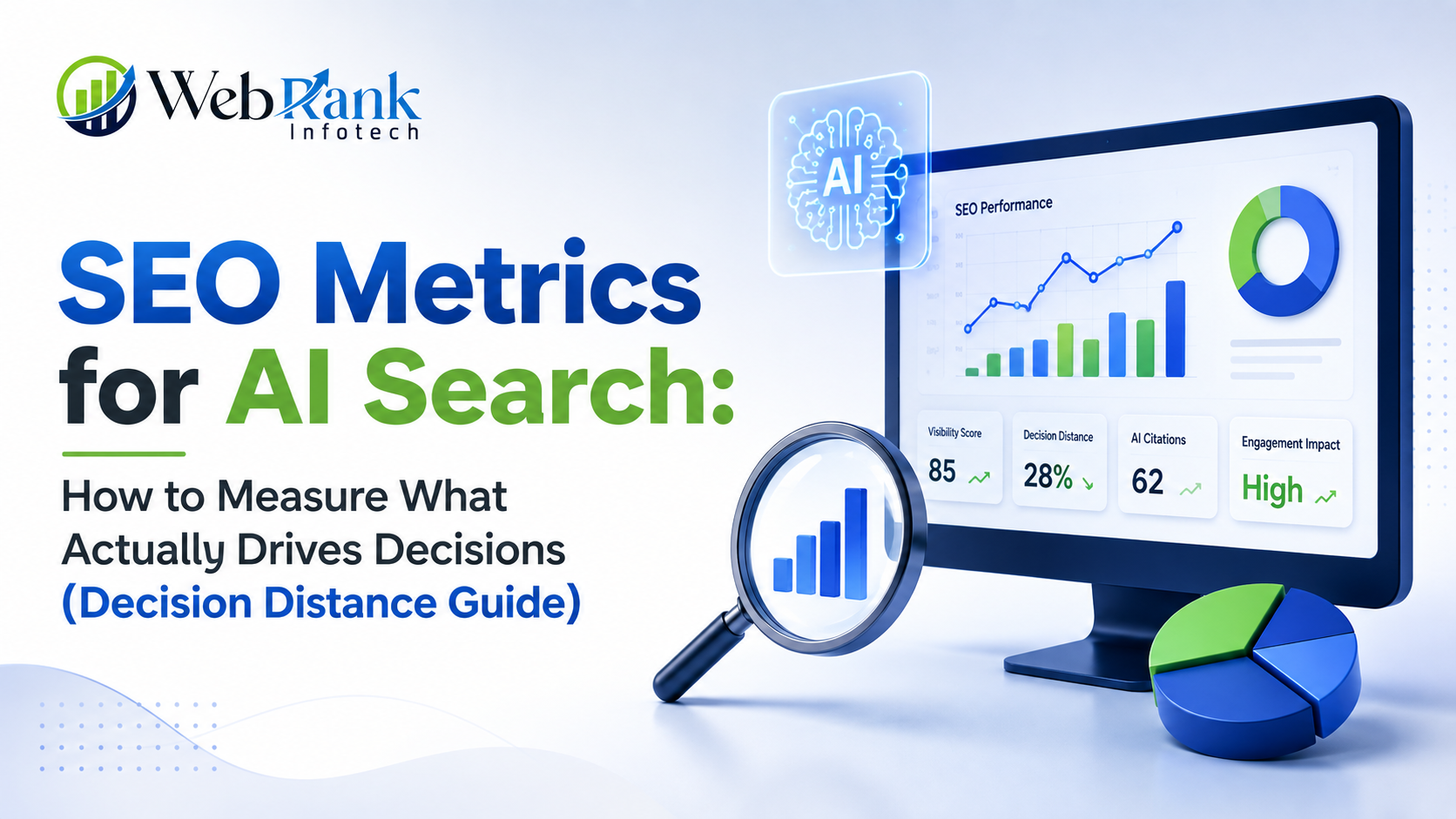
SEO Metrics for AI Search: How to Measure What Actually Drives Decisions (Decision Distance Guide)

Clicks, rankings, and CTR only show what happened after someone already decided. They do not show why a brand was chosen over another, or why an AI engine mentioned a competitor instead. The metric worth tracking in 2026 is the gap between what an audience needs to hear before deciding and what a brand’s content actually says — a concept called Decision Distance. Closing that gap is what determines whether a brand gets clicked, cited, or skipped entirely. Most teams tracking SEO metrics for AI search are still watching rankings and traffic charts while the actual decision now happens inside an AI-generated answer, before any click occurs. Search has changed shape. On this page: Why Do Traditional SEO Metrics Fall Short in the Age of AI Search? Traditional metrics — CTR, bounce rate, rankings, conversion rate — are outcome metrics. They confirm that an action was taken, but not what caused it. CTR shows that a listing was clicked; it does not show why that listing felt more trustworthy than the one above it. Bounce rate shows that a visitor left; it does not show which expectation was unmet. Rankings show visibility; they do not show whether the brand was actually the one chosen among the options an LLM or a searcher considered. This blind spot existed before AI search, but generative answers have made it far more costly. When Google’s AI Overviews or a chatbot synthesizes a single answer from multiple sources, a large part of the decision-making process now happens inside that answer box — outside any website’s analytics, and outside a brand’s field of vision entirely. What Each Traditional Metric Shows vs. What It Hides Metric What It Confirms What It Misses CTR A result was clicked Why it felt more compelling than competitors Bounce Rate A visitor left the page Which need or expectation went unmet Conversion Rate A purchase or sign-up happened Which psychological barrier was overcome Keyword Rankings Content is visible in search Whether the brand was actually chosen AI Visibility / Citations A brand was mentioned by an LLM Whether that mention influenced the final decision Skim summary: Every legacy SEO metric measures the result of a decision that has already been made, not the reasoning that produced it. In AI search, where a synthesized answer often replaces the research phase entirely, that missing context is the single biggest reporting gap most SEO teams currently have. What Is Decision Distance in SEO? Decision Distance is the semantic gap between the motivations that actually drive a person’s decision (functional, emotional, and social) and the messaging a brand publishes across its customer journey — product pages, landing pages, blog content, and ad copy. The smaller that gap, the more likely a brand is to be chosen by a human or surfaced by an AI engine synthesizing an answer. The idea comes from a framework introduced by Giulia Panozzo in a Search Engine Journal analysis on AI-era SEO measurement, and it reframes a question every SEO team should already be asking: does the content answer the query, or does it answer the reason behind the query? A Real-World Example Consider someone searching for payroll software. Their biggest hesitation might be trusting a third party with sensitive employee data — a trust-driven concern. If a product page spends most of its copy on feature lists, integrations, and dashboards instead of addressing data security and compliance, the Decision Distance is high. The page may match the keyword perfectly and still fail to convert, because it never addressed the actual reason the visitor was hesitant. Skim summary: Decision Distance measures alignment, not visibility. A page can rank in position one and still lose the decision if its messaging talks about the wrong thing relative to what the audience actually needs reassurance about before moving forward. How Can You Measure Decision Distance Step by Step? This is a practical, four-step process that pairs semantic analysis with existing customer research. Each step builds on the one before it, so treat this as a sequence rather than a checklist to pick from. Step 1: Identify Decision Drivers From Customer Language Start by defining the core decision drivers relevant to the market — common ones include value for money, trust, convenience, social proof, and quality. Write a short, precise description for each driver, since these descriptions become the semantic reference points everything else gets compared against. Then collect audience language: search queries, support tickets, CRM notes, review text, and social listening data. Map that language against each driver using sentence embeddings and semantic similarity — a technique also useful for vector-based SEO analysis. Tag each driver by customer journey stage (awareness, consideration, evaluation, purchase, loyalty) so the output tells the team not just what matters, but when it matters. Step 2: Score How Strongly Brand Messaging Reflects Those Drivers Run the same driver framework against owned content — product pages, landing pages, blog posts, and ad copy. This produces a brand-side profile showing which drivers are being reinforced and which are being ignored entirely. Most teams are surprised to find their content leans heavily on one or two drivers (often convenience or features) while audience language is dominated by something else entirely, like trust or quality. Step 3: Compare the Two Profiles to Calculate the Gap Line up the audience profile against the brand profile, driver by driver. The difference between the two is the Decision Distance score, and the individual gaps show exactly where messaging and audience motivation diverge. A large positive gap on “trust,” for instance, means the audience is asking for reassurance the content never gives. Step 4: Close the Gaps Through Messaging and Content Changes Use the gap data as a prioritized content roadmap. That might mean adding trust signals to a landing page, restructuring a product page around the top three unaddressed drivers, or briefing a content team to stop writing about features and start writing about outcomes. This step turns a diagnostic exercise into an action

SEO Metrics for AI Search: How to Measure What Actually Drives Decisions (Decision Distance Guide) Read More »

in-house-marketing-team-vs-digital-marketing-agency

In-House Marketing Team vs Digital Marketing Agency: Pros and Cons

Choosing between an in-house marketing team vs digital marketing agency comes down to budget, growth stage, and control – an in-house team wins on brand alignment and long-term ownership, while a digital marketing agency wins on cost efficiency, specialist access, and speed to results. Every growing business eventually hits this fork in the road: build a marketing team from scratch, or hand the work to a digital marketing agency. Both paths can work. Both can also waste six figures if chosen for the wrong reasons. This guide breaks down the in-house marketing team vs digital marketing agency decision in full – real pros, cons, costs, and a step-by-step framework so the choice stops feeling like a guess. Table of Contents What Is the Real Difference Between an In-House Marketing Team and a Digital Marketing Agency? An in-house marketing team consists of full-time employees who work exclusively for one company, embedded in its culture, product, and daily operations. A digital marketing agency is an external company hired on contract to handle marketing execution – SEO, PPC, social media, content, or all of the above – often serving multiple clients across different industries at the same time. The core difference isn’t just “internal vs external.” It’s ownership vs access. An in-house team is owned entirely by one business, with slower ramp-up but total brand alignment. A digital marketing agency gives access to a ready-made team of specialists without the overhead of hiring, training, or retaining them – but that expertise is shared across other client accounts too. Skimmable summary: In-house marketing means hiring full-time staff dedicated to one brand; a digital marketing agency means outsourcing execution to an external specialist team serving multiple clients. The trade-off is control and brand immersion (in-house) versus speed, cost-efficiency, and breadth of expertise (agency). How Does an In-House Marketing Team Actually Work? An in-house team typically starts with one marketing generalist or manager and expands into specialists – SEO, content, paid ads, design – as the budget allows. They report directly to leadership, sit in on product meetings, and build marketing strategy around firsthand knowledge of the business. Pros of an In-House Marketing Team Advantage Why It Matters Deep brand knowledge The team lives and breathes the product daily, so messaging stays consistent Faster internal communication No client-agency lag – decisions happen in the same Slack channel as the rest of the company Full control over priorities Marketing sprints can be reshuffled instantly around business needs Long-term institutional memory Campaign history, customer insights, and lessons learned stay in-house Cons of an In-House Marketing Team Drawback Why It Matters High fixed cost Salaries, benefits, software licenses, and training add up even in slow months Narrower skill coverage A 2-3 person team rarely covers SEO, PPC, design, and analytics equally well Slower to scale Ramping up for a big campaign means hiring, which takes weeks or months Risk of stagnant ideas Teams immersed in one brand for years can lose exposure to fresh industry trends Skimmable summary: An in-house marketing team offers unmatched brand alignment and internal speed of communication, but it comes with fixed overhead, narrower specialist coverage, and slower scalability – all real constraints for a business trying to grow fast on a lean budget. How Does a Digital Marketing Agency Actually Work? A digital marketing agency operates as an external partner. After an onboarding phase – where the agency studies the business, competitors, and target audience – it builds and executes a marketing strategy using a team of specialists who already have tools, processes, and experience across dozens of similar campaigns. Pros of Hiring a Digital Marketing Agency Advantage Why It Matters Access to a full specialist team SEO, PPC, content, and design experts work together without separate hiring Lower fixed cost Businesses pay for output, not salaries, insurance, or paid leave Faster results from proven playbooks Agencies reuse strategies validated across multiple clients and industries Easy to scale up or down Campaigns can expand for a product launch and shrink again without layoffs Access to premium tools Enterprise-grade SEO, ad, and analytics tools are already part of the agency’s stack Cons of Hiring a Digital Marketing Agency Drawback Why It Matters Shared attention Agencies manage multiple clients, so response time can be slower than an internal team Onboarding lag New agencies need weeks to fully understand a brand before hitting full stride Less day-to-day control Strategy execution happens outside the building, on the agency’s workflow Quality varies by agency Results depend heavily on which agency gets chosen, making due diligence essential Skimmable summary: A digital marketing agency delivers specialist expertise, proven strategies, and flexible scaling at a lower fixed cost than hiring internally – the trade-off is shared attention and a shorter onboarding period before full alignment kicks in. In-House Team vs Digital Marketing Agency: Which Costs More in India? Cost is usually the deciding factor in the in-house marketing team vs digital marketing agency decision, so here’s a realistic breakdown for a small-to-mid-sized Indian business trying to run SEO, PPC, and social media together. Cost Component In-House Team (Monthly) Digital Marketing Agency (Monthly) SEO specialist ₹35,000 – ₹60,000 Included in package PPC specialist ₹30,000 – ₹55,000 Included in package Social media manager ₹25,000 – ₹45,000 Included in package Tools & software (SEO, ads, analytics) ₹15,000 – ₹30,000 Included in package Recruitment & training cost One-time, ₹20,000+ None Typical total ₹1,05,000 – ₹1,90,000+ ₹25,000 – ₹80,000 (varies by scope) A detailed breakdown of what full-service SEO packages typically include — audits, on-page work, technical fixes, and link building — is covered in WebRank Infotech’s SEO services in India, which is a useful benchmark for comparing agency pricing against in-house salary costs. Skimmable summary: For most small and mid-sized businesses in India, an in-house team costs roughly 2-3x more per month than an agency once salaries, tools, and training are factored in — though the gap narrows for larger companies that need dedicated, full-time attention. How to Decide Between an In-House Team and a

In-House Marketing Team vs Digital Marketing Agency: Pros and Cons Read More »

Scroll to Top